
Outline (Remove later)
- Straightforward hooks.
- Viable functions at depths 2-4.
- Finished on 12/14/2024 with 62 hooks, 63-66th hooks found later on.
- Majority of text in hooks are found in register
RDX. - UI settings like selectively enabling hooks, single sentence collapse, and character counts
- Some code structure to make dealing with 50+ hooks easier
- First PC Agent script, main motivation
- OrderedHandler to deal with debounce and scrollable menu items
- Write about the Requests menu
- Some strings couldn’t be found in Cheat Engine unless I used the
Find memoryfeature.- From: 140000000; To: 150000000
- Only realized very later on that I had to change the
Writablesetting from Checked to Gray so that Cheat Engine would scan unwritable memory
- RumorName 0xFF… error on first rumor. Switch to different hook at higher call stack depth.
- Tried to find hook for BattleActionEnemySpecial, but the first function keeps being called at the end of every enemy’s attack. Instead of simply hooking the first function, step through the code beyond the if statement, and hook the next function.
The origin: Atelier Sophie.
This game was the reason why I began making Agent scripts. My first attempt at hooking the game was back in May but with little success. Wanting to improve before tackling it again, I turned to making scripts for Nintendo Switch games instead. Fast forward 5 months to October, I now had over 50 scripts worth of experience with emulated games and I decided to try my hand again at Atelier Sophie. The script was finally completed in December.
Below are the troubles, decisions, and experiences I had while making the script.
First, Failed Attempt
My goal here was to find a string or text to set a breakpoint on. I then had to restart the game to a point before the game processes the text, set the breakpoint on the text, continue playing until the game reaches the text to trigger the breakpoint, perform the rest of the magic… and *bam, I made a hook.
Here’s what the game’s title screen looks like:
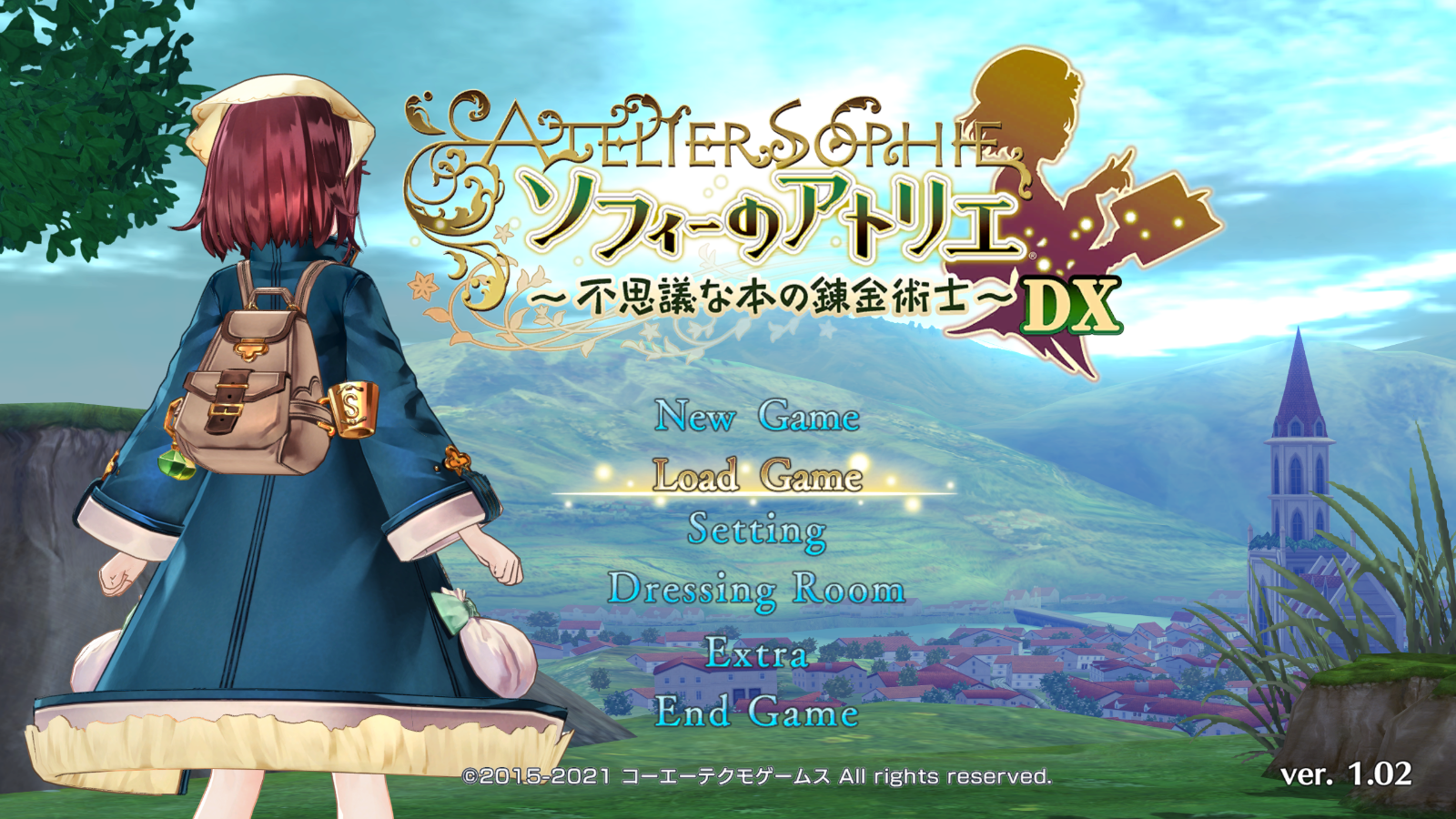
The first thing to hook was the dialogue text that shows up as soon as you select “New Game” to start the game.
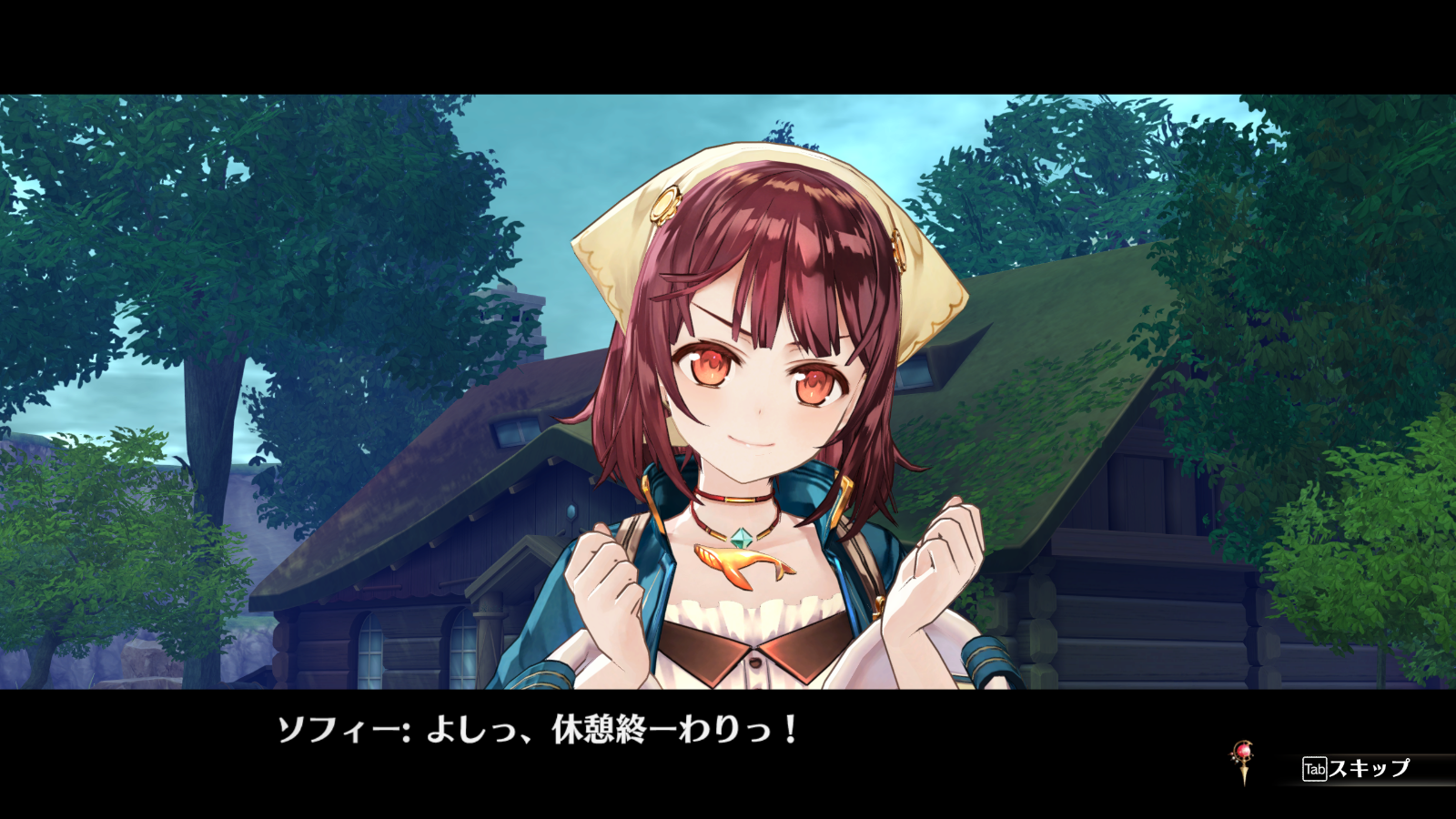
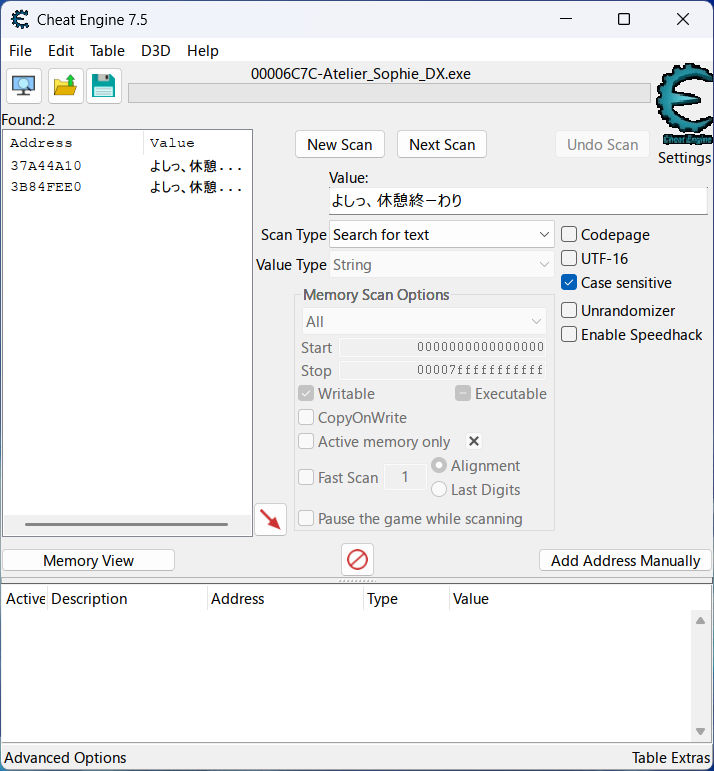
Scanning for the sentence (or string) “よしっ、休憩終ーわり” in Cheat Engine with text-encodings UTF-16 and Codepage disabled net me 2 results, which means the game’s text is in UTF-8.
Now that I know the text-encoding, I’ll have to set a breakpoint on the string before it gets accessed by the game’s code. Restarting the game so that I’m back at the title screen, I initiated a scan for “よしっ、休憩終ーわり” and…
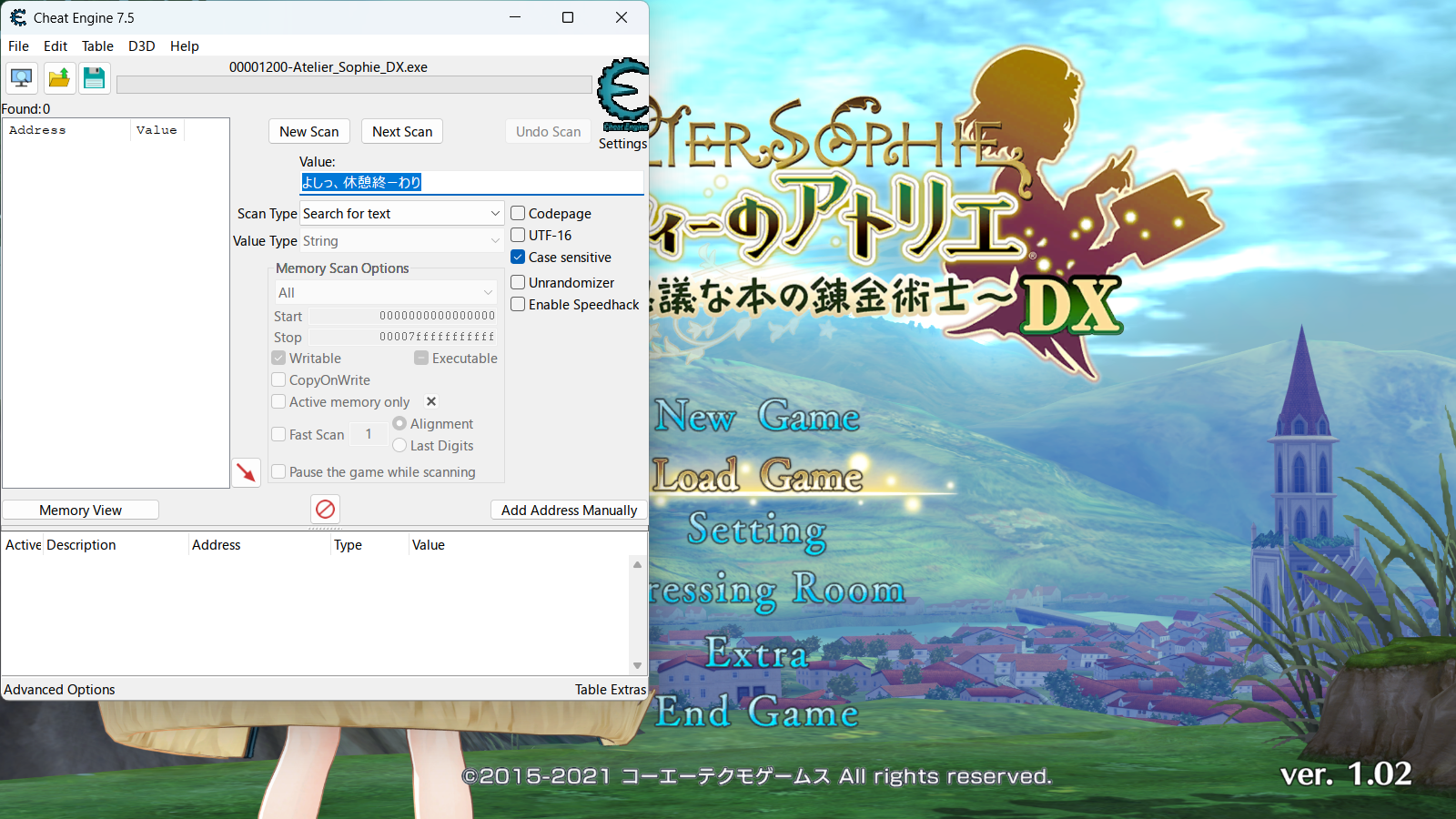
…Cheat Engine returned 0 results? But didn’t it say there were 2 results earlier? I can’t set a breakpoint if there’s no string to set one on.
After fiddling with Cheat Engine for some time, hoping that the sentence would magically appear in Cheat Engine (which it didn’t), I tried a different approach. If I can’t set a breakpoint on text not on the screen yet, I’ll instead set one on an address that the game writes strings to. Let’s start a new game again and search for the sentence.
The next step to extract the text is to set a breakpoint on the string, but there are two addresses where the string is found. Which one do I target? I decided to put breakpoints on both of them, and to do that I had to browse the addresses’ memory regions. After right clicking a result in the addresslist…
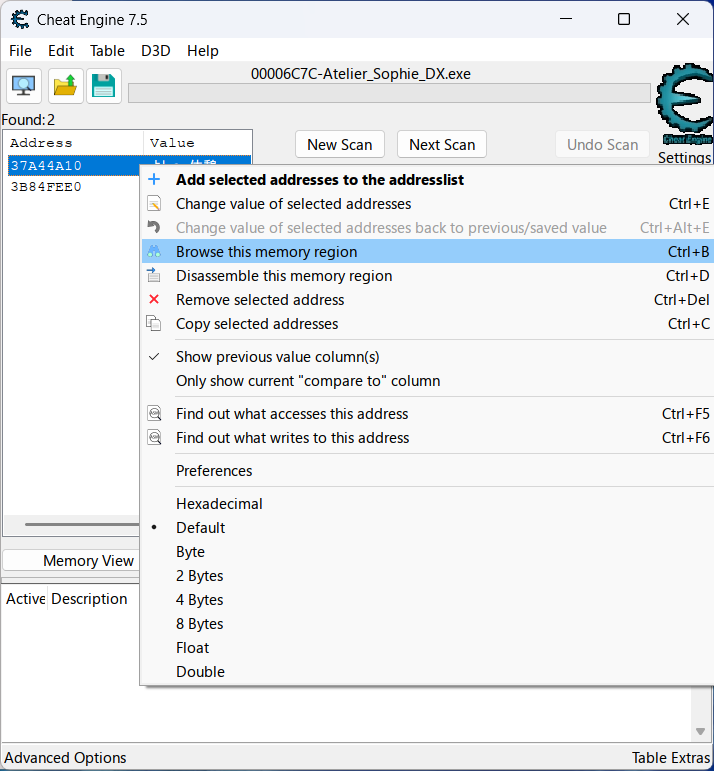
…and clicking Browse this memory region, the Memory Viewer popped up.
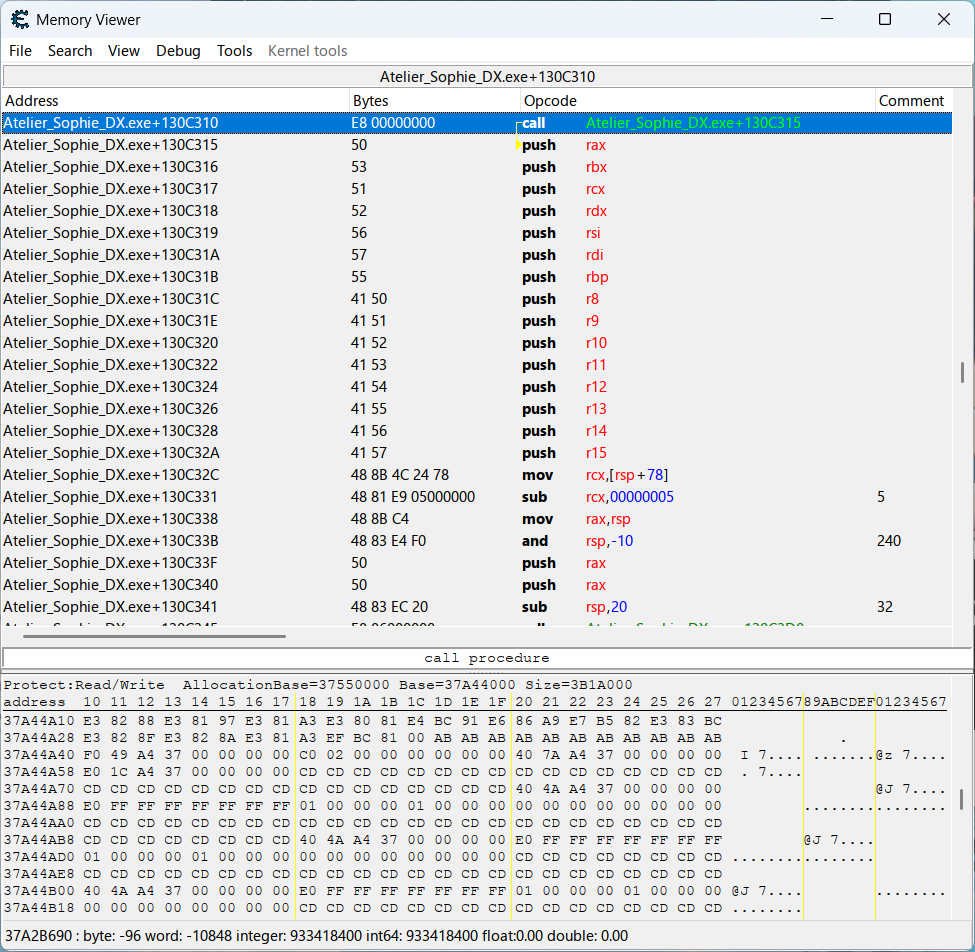
Looks intimidating.
The sentence I’m looking for wasn’t anywhere in the hexview, but that was because the text encoding is automatically set to Ansii every time you launch Cheat Engine. Right-clicking on the hexview and selecting UTF-8 fixed that easily.
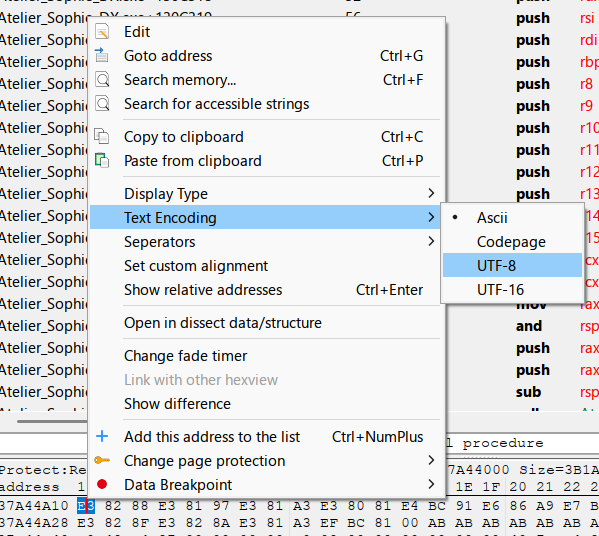
The sentence appeared in the hexview as expected.
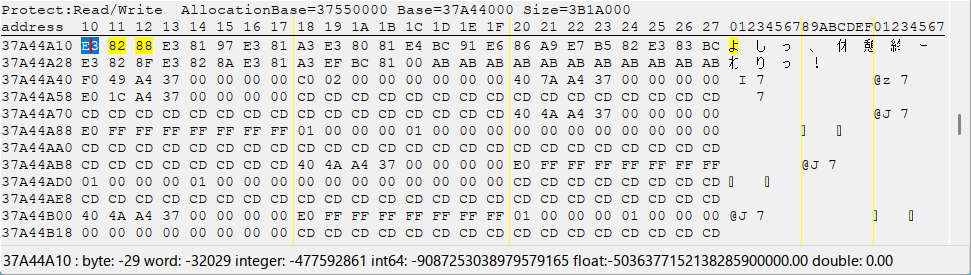
Next was to set a breakpoint on the first byte of the strings…
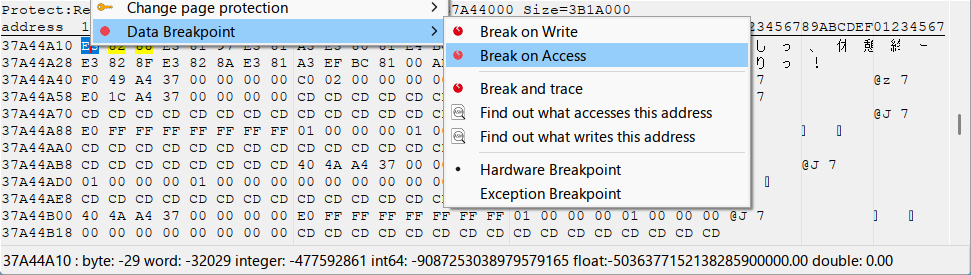
…and advance the text in-game to trigger the breakpoint.

The game paused during a fade-to-black transition, indicating that one of the breakpoints triggered, and all I have to do next is check the hexview of the registers’ addresses to see if the game’s next sentence was in one of them.
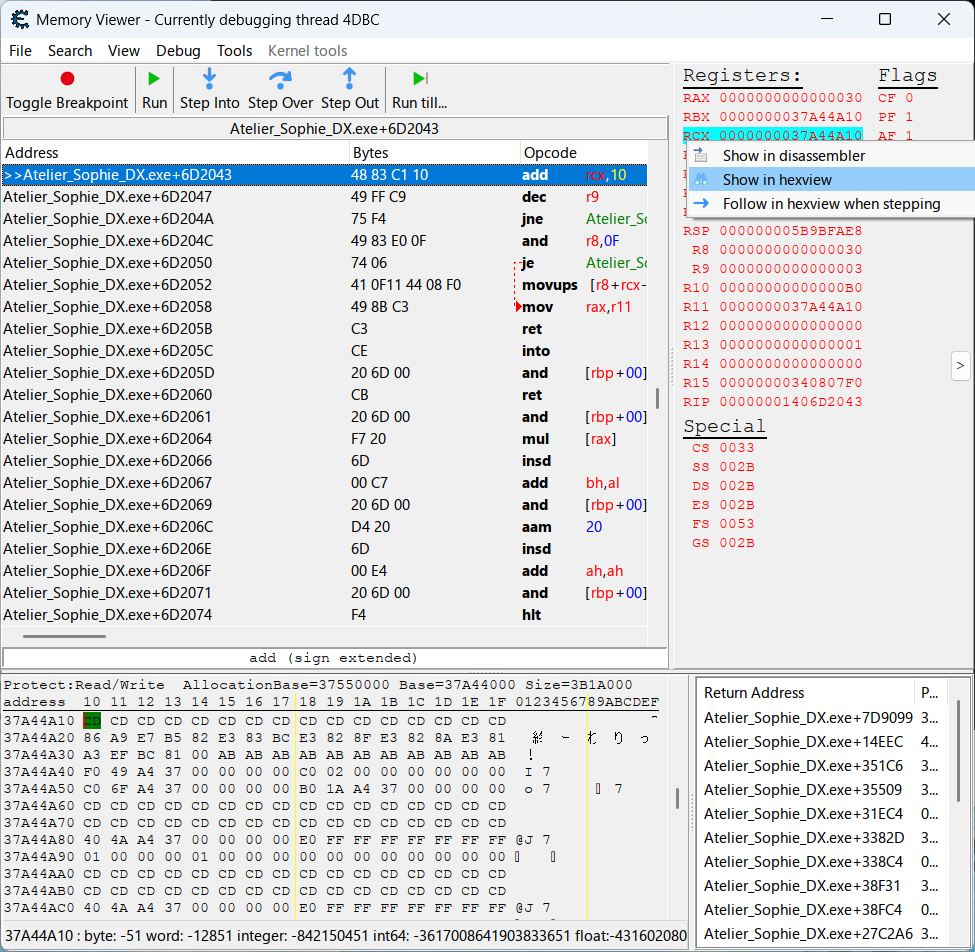
But there was nothing.
There was just a bunch of CD bytes and nulls in the hexview in the addresses of the registers. I repeatedly pressed the Run button in the debug toolbar at the top which triggered the breakpoint every time the game accessed the byte, and as I did so, I observed the hexview to see if the next sentence would magically appear. Several dozen Run presses later, no luck.
I ended up taking off the breakpoint on both strings to fully resume the game with a single Run press.
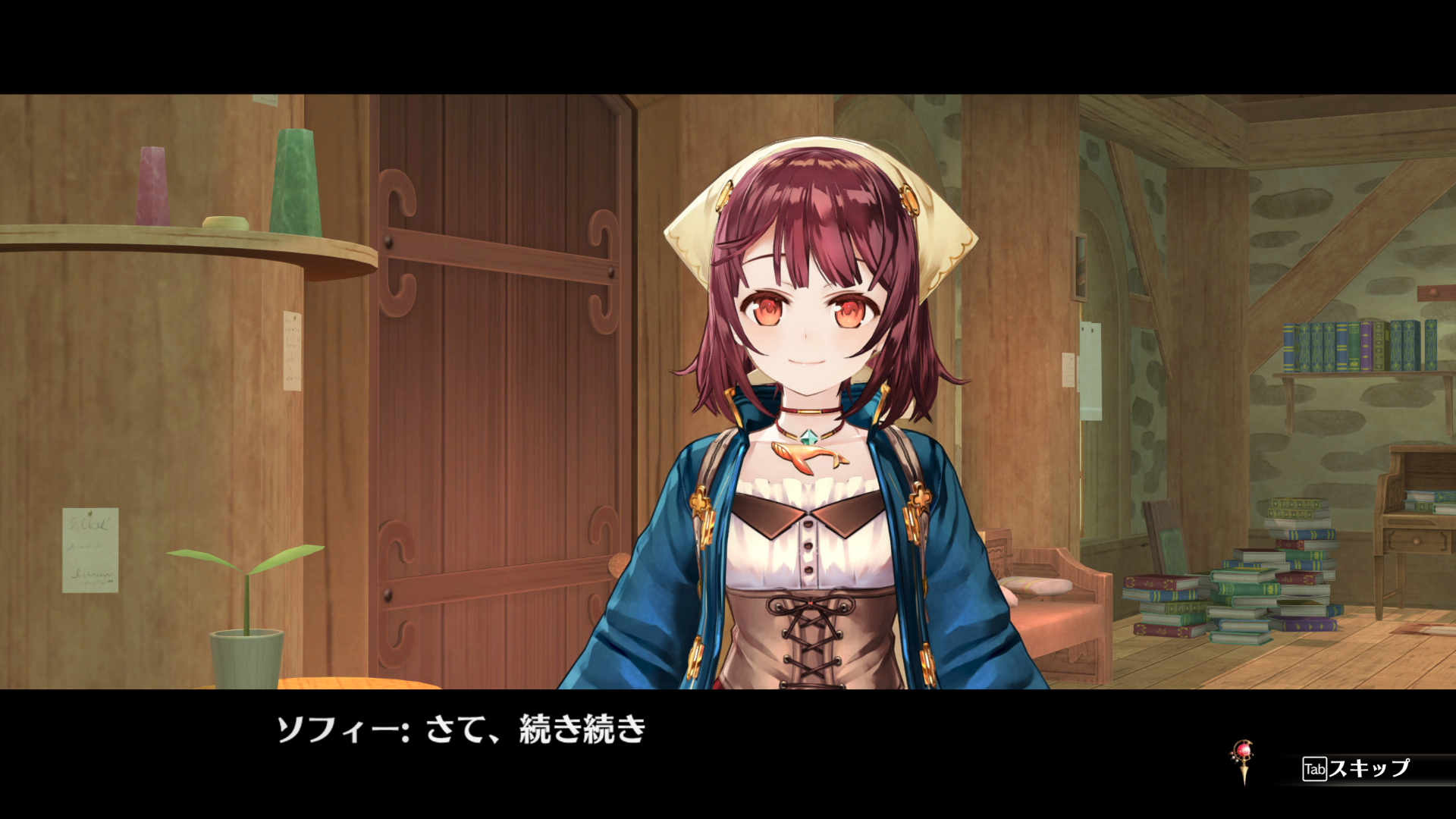
Then, I took a look at Cheat Engine’s main window to check if any of the addresses’ values transformed into the new text now that the game was running normally.
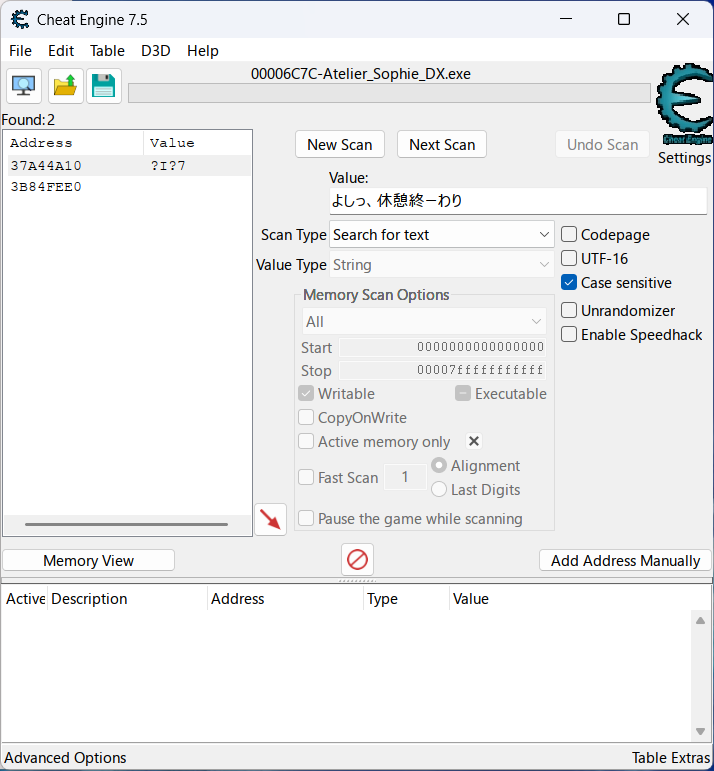
But there was nothing.
I tried out a few more strategies for several hours and ended up shelving the project.
First Hook
Many months later, I made another attempt after going on a training arc with making scripts for emulated games, learning more about hacking with Game Hacking Academy, and reading Frida’s JavaScript documentation.
Title Screen Mystery
To start off, let’s go back to the title screen.
The sentence that shows up after hitting “New Game” is “よしっ、休憩終ーわり”. If I try scanning for it while in the title screen, the addresslist shows up empty. I can’t set a breakpoint on the string if it doesn’t show up in Cheat Engine. But if I scan after hitting “New Game” so that Sophie says that sentence…
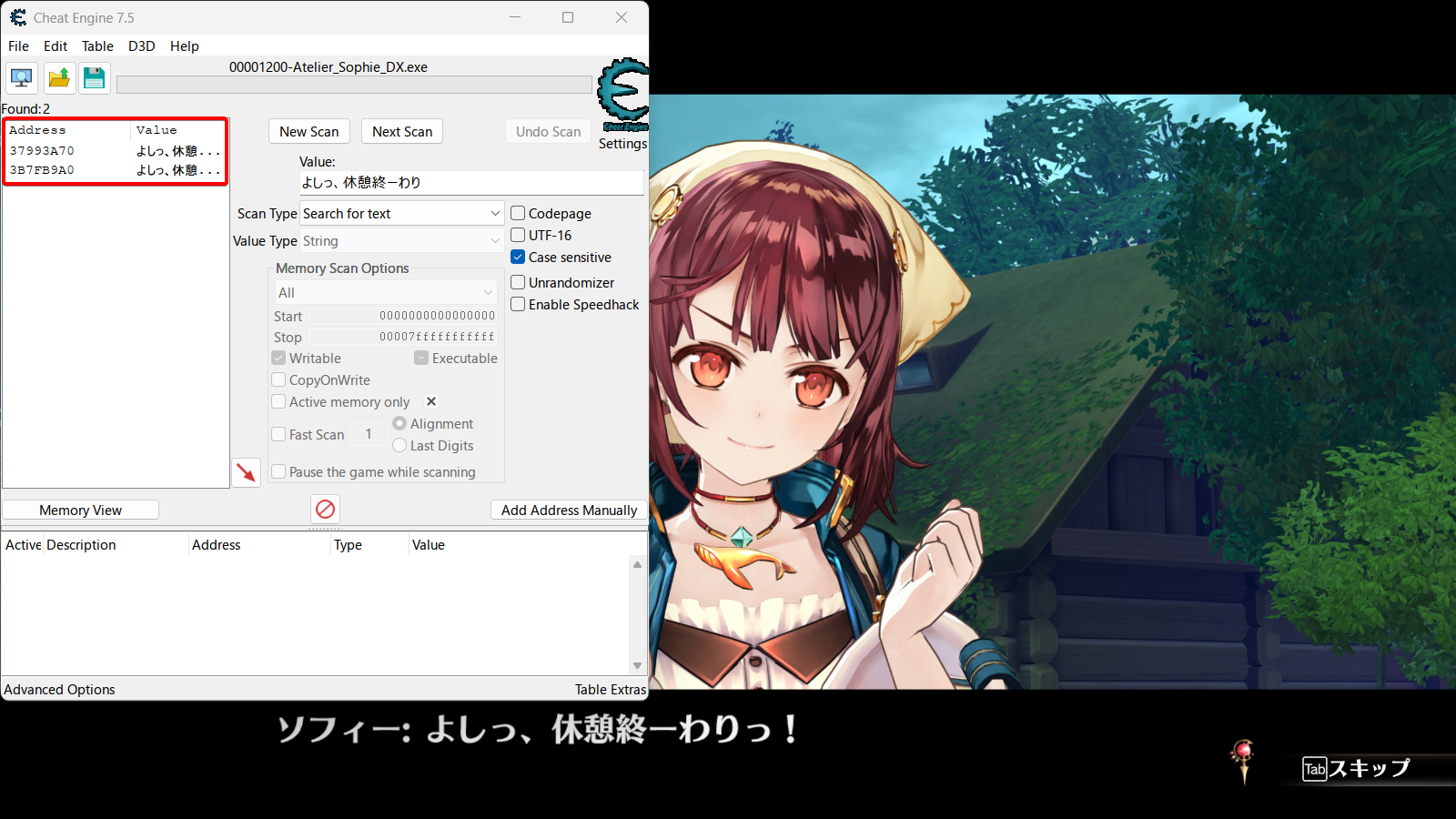
…then the addresslist shows two results, just like in my failed attempt.
The next sentence after this is “さて、続き続き”, but scanning for it also doesn’t return any result unless I advance the game so that the sentence shows up on screen.
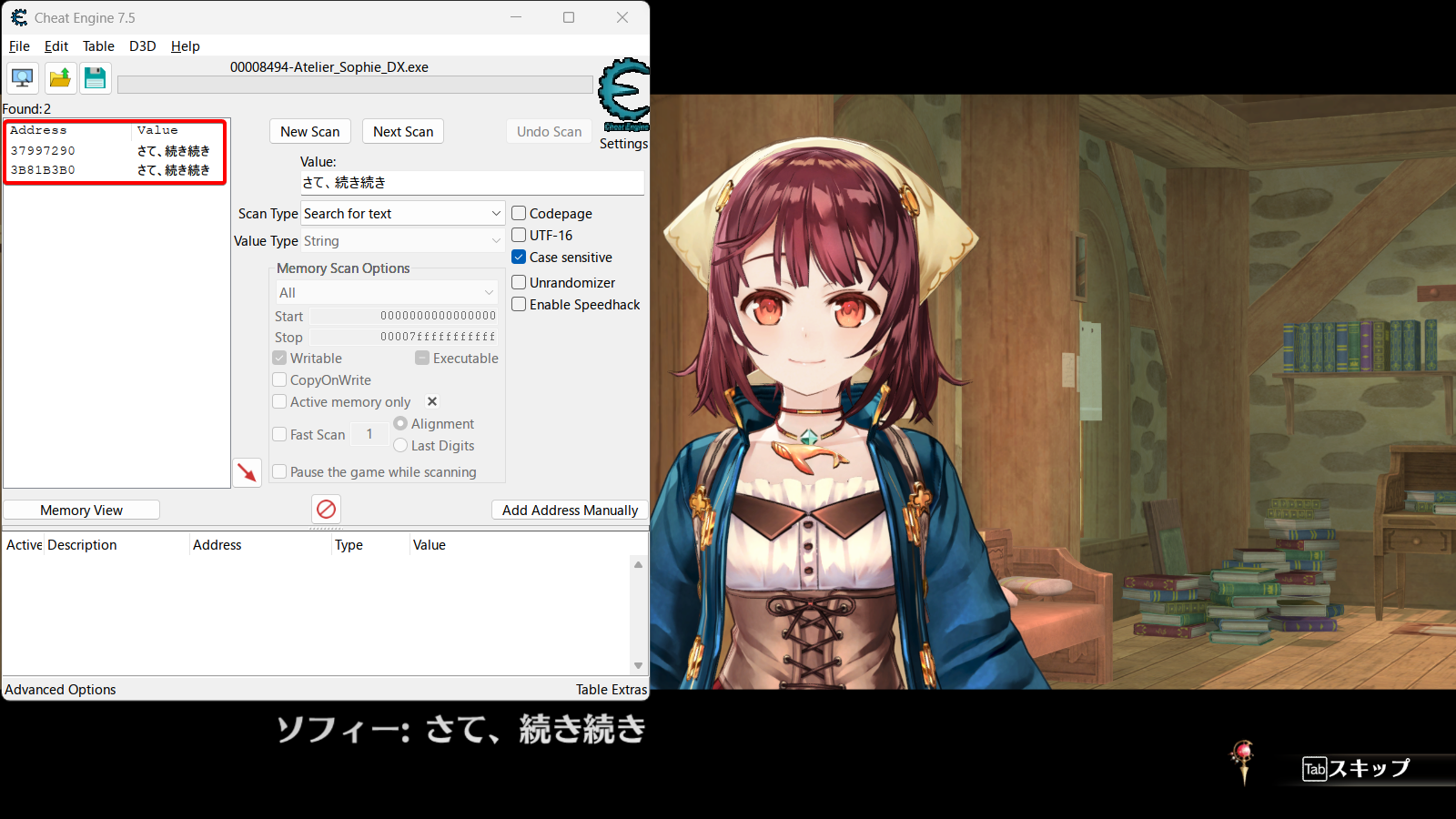
The guides I’ve read all found their games’ text despite them not being on screen, but how come I need to have the text on screen so that Cheat Engine can scan them?
As it turns out, that isn’t exactly the case. I’m not too sure about the specifics, and this might apply exclusively to cutscenes, but Atelier Sophie loads a part of the text script into memory only when needed. That means the string “よしっ、休憩終ーわり” isn’t loaded into memory while in the title screen because it doesn’t need to be yet. The player could’ve loaded an endgame save file and never see that string, or maybe they’d just sit in the title screen doing nothing but farming Steam playtime. Only after hitting “New Game” would the game actually start and bother loading the string into memory.
To understand why “さて、続き続き” can’t be scanned even after starting the game, we need to look at what happens in-between that sentence and “よしっ、休憩終ーわり”. Pay attention to the lower right-hand corner of the video.
Did you catch that “NowLoading” sign? That’s the game switching between cutscenes. If the game loads certain parts of the script when necessary, it follows that it loads only the text that each cutscene needs. A cutscene doesn’t need text from another cutscene.
In other words, “さて、続き続き” couldn’t be scanned earlier because it was part of a different cutscene.
It felt strange to spend so much time writing about such a minor thing, but this behavior did cause me to waste several days both during my first attempts and my post-training arc attempt, so I wanted to document my experience with it. Thinking back, I was really screwed over by that single-sentence cutscene when starting a new game. If that cutscene and the next were merged, I wouldn’t have ran in circles trying to find the next sentence of a cutscene that only had one sentence.
With the mystery out of the way, I can now make progress on the first hook.
Puni Breakpoint
I’ll start from this cutscene where Sophie enters her Atelier. It’s not a single-sentence cutscene like the previous one. After advancing the text, Sophie begins talking about her alchemy process.
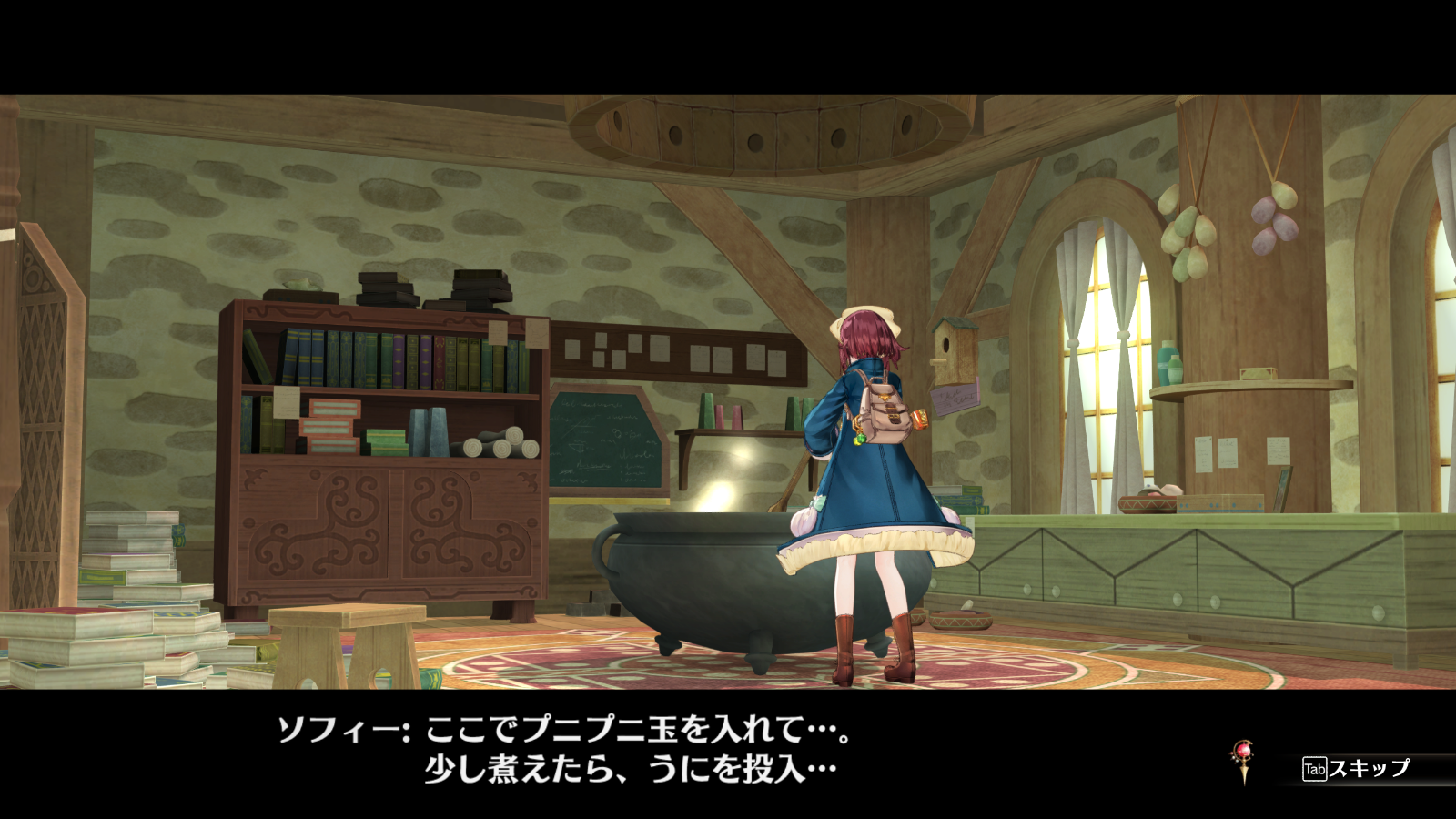
The text here contains “ここでプニプニ玉を入れて”; I’ll scan for that string after restarting the game to “さて、続き続き”.
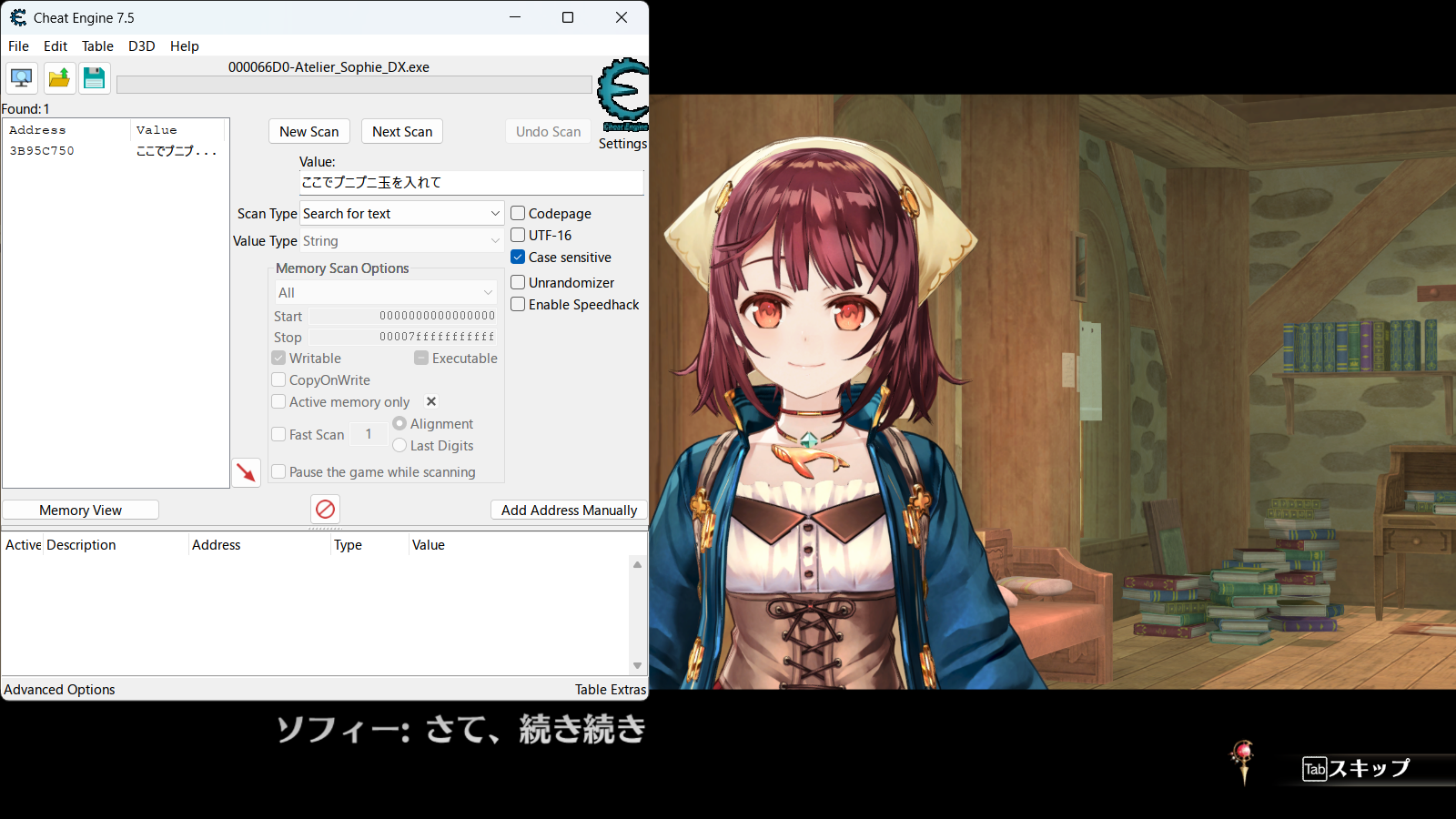
There’s only 1 result this time. I believe the reason why there were 2 results in my previous tests was because:
- One result was the text currently displayed on-screen in a text box
- The other one was the text sitting in memory probably waiting to be accessed
Because “ここでプニプニ玉を入れて” isn’t being displayed yet, the only occurrence of it is the one waiting for its turn in memory. I’ll set a breakpoint on that one.
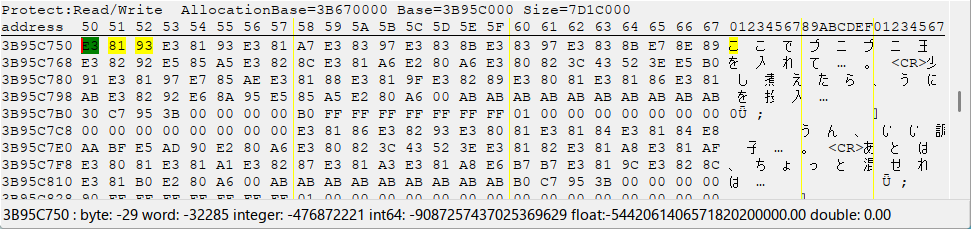
Advancing the text triggers the breakpoint as expected.
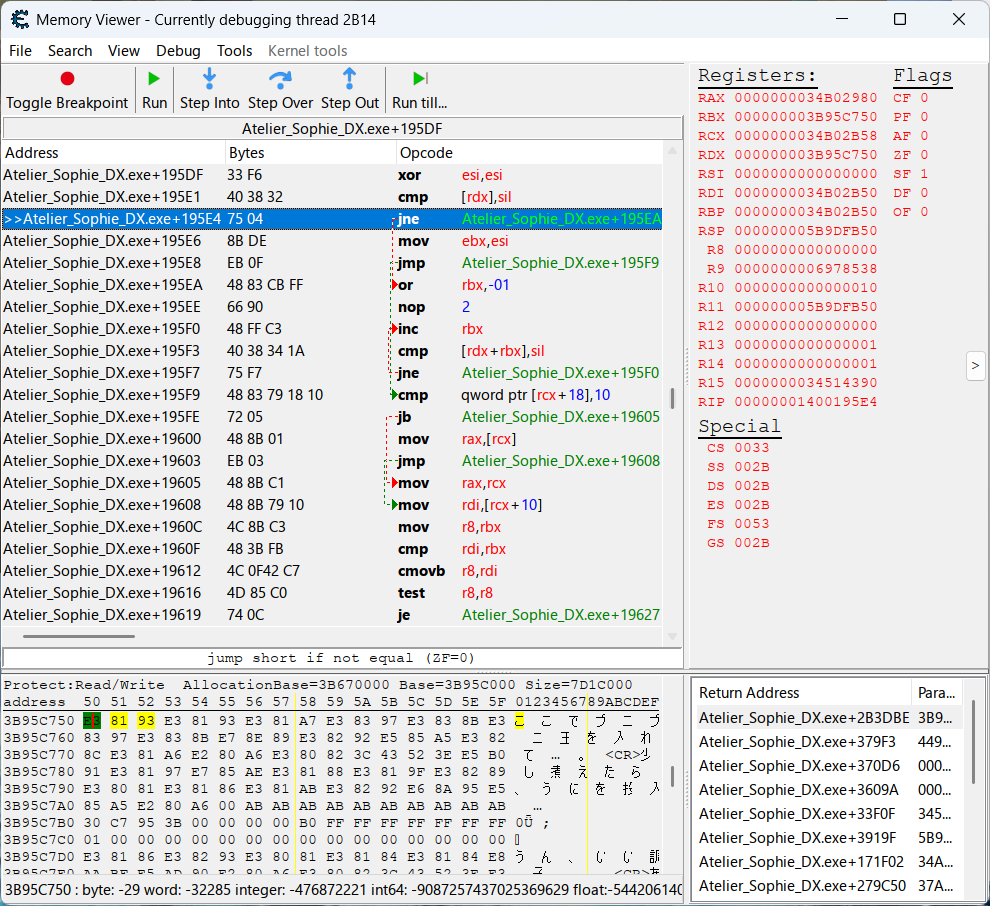
I then need to set a breakpoint on the instruction that handles text.
After a breakpoint is triggered, Cheat Engine automatically highlights in blue the next instruction that’s to be executed, which is the jne instruction at the address Atelier_Sophie_DX.exe+19534. The instruction that actually triggered the breakpoint is right above with the mnemonic cmp and operands rdx and sil, so I’ll set a breakpoint on it while removing the one on the string.
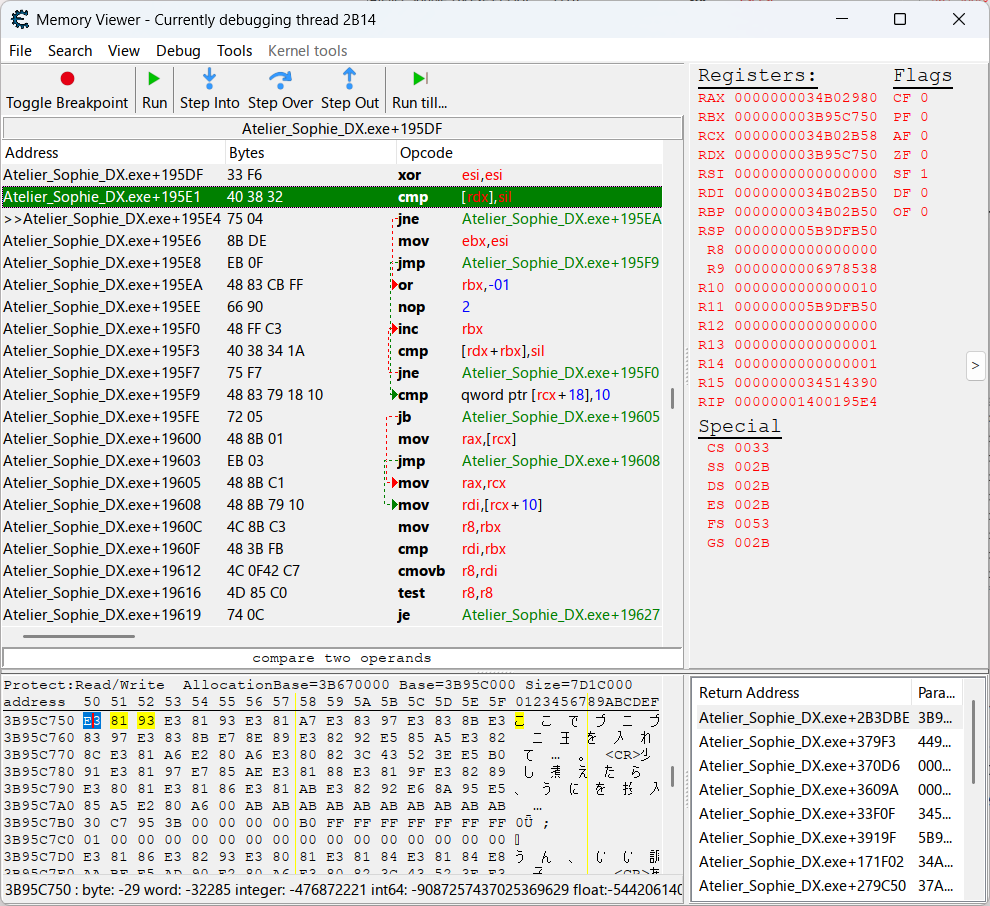
If pressing Run one time is enough to resume the game, then that instruction is a good place to hook. If I press Run a bajillion times and the game is still getting paused from the breakpoint getting triggered, then that instruction should be avoided if possible.
Hot Functions
Frida docs labels functions that are called very frequently as “hot.” Hooking these hot functions can drastically reduce game performance because the script is forced to do expensive computations on millions of unnecessary strings every millisecond.
Although not recommended, they can become a viable place to hook if you code around their behavior. An example of such hook is in the script for ASTLIBRA Revision.
…And it turns out that I have to avoid it. Pressing Run multiple times triggers the breakpoint each time. For the sake of curiosity, let’s go on a detour. I’ll check out one of the operands, rdx, in the hexview to see what value it has in this hot function. Right click on RDX in the Registers section in Cheat Engine and select Show in hexview.
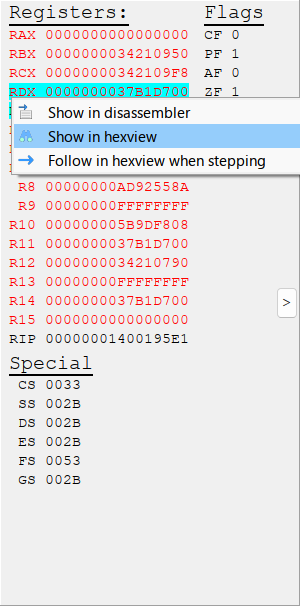
And in the hexview is the string… “shade?”
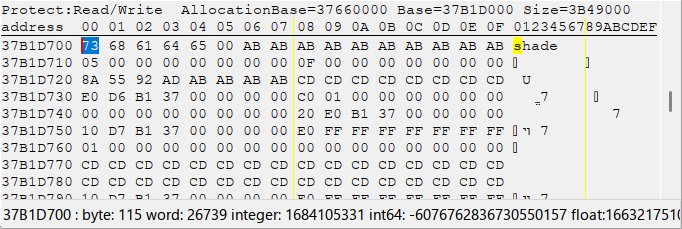
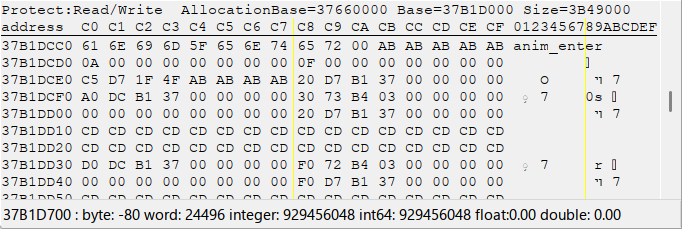
Pressing Run again and checking the new address assigned to RDX, “anim_enter” shows up.
Running again, we get something resembling an HTML tag and some Japanese: “<IM06>スキップ.”
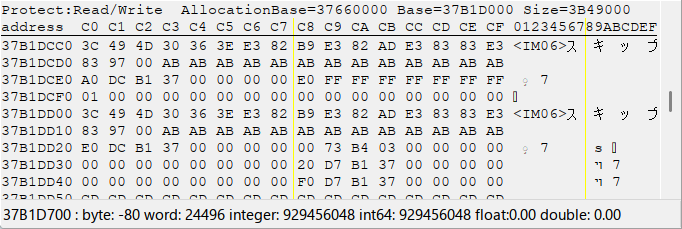
While I have no idea why or what the strings “shade” and “anim_enter” are appearing there for, the purpose behind “<IM06>スキップ” is straightforward to figure out. It’s the hotkey hint for skipping text that’s in almost every in-game screenshot you’ve seen on this page.
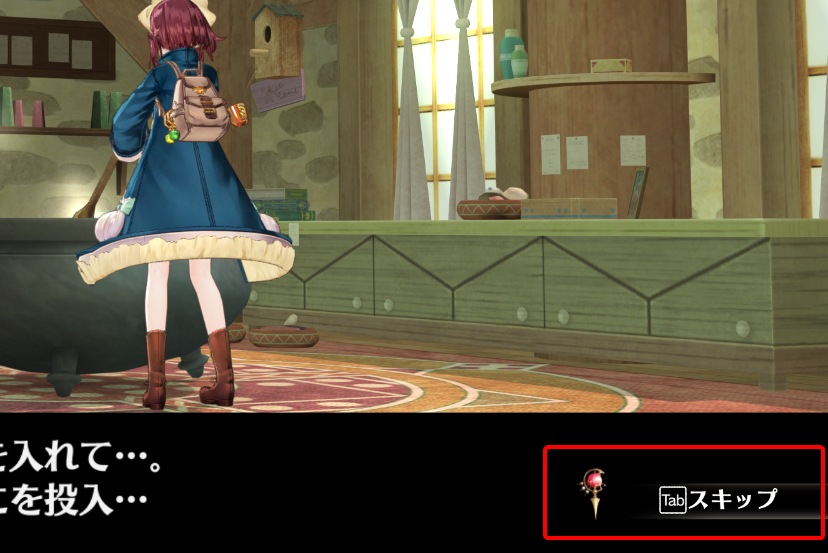
“<IM06>” is probably the tag for a hotkey on the controller or keyboard. Because “IM” seems like an abbreviation for “image”, and the “Tab” button on-screen is probably an image judging by how its text isn’t actually in the hexview, I’ll refer to “<IM06>” and the like as “image tags.” We’ll see them often.
Ending the detour there, I’ll remove the breakpoint since it’s clear at this point that the instruction would be a terrible place to hook, even if it might contain the text we want. So if that instruction isn’t a good place to hook, where else can we hook? It’s time to shift our attention to the stack trace.
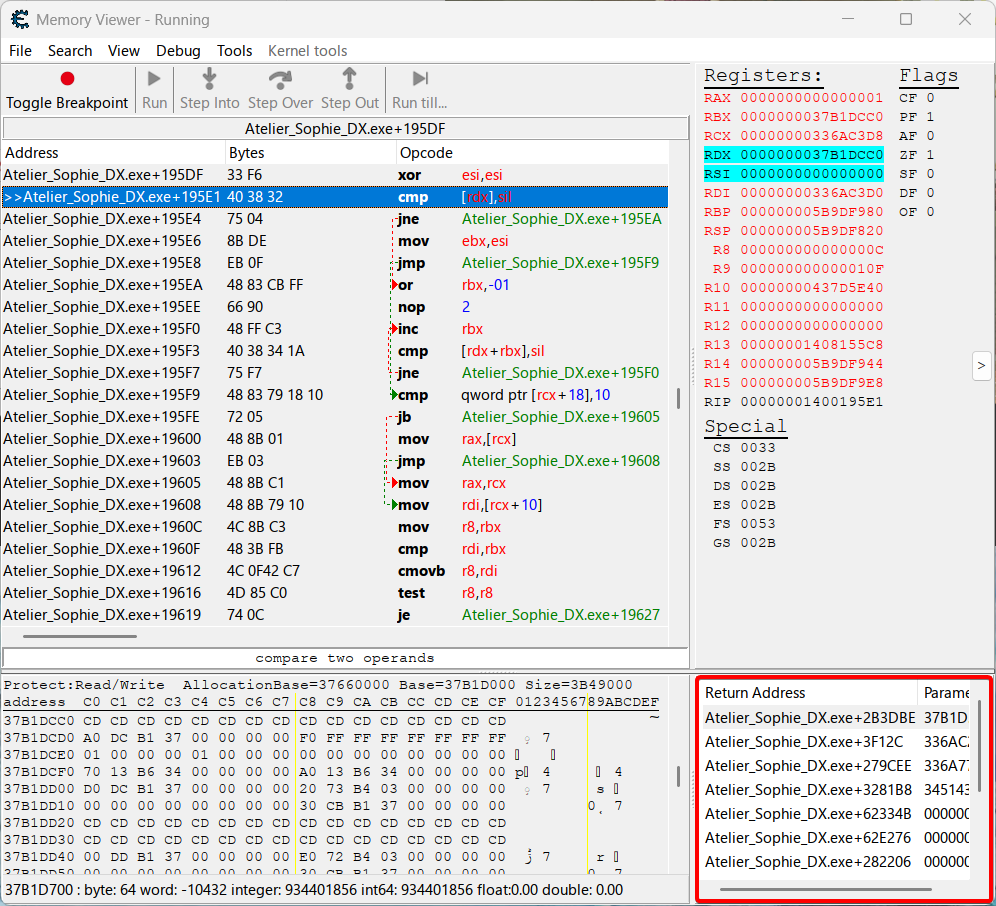
At the bottom of Cheat Engine is the stack trace, or call stack, which shows the return addresses of the functions that called the function we’re currently in. Imagine walking across the snow—you can look behind at your footsteps to see the path you took, and each footstep is a return address.
Taking the above screenshot as an example, let’s say that we’re currently at Atelier_Sophie_DX.exe+19531, or +19531 for short, and in the middle of some function.
Where is the function call that lead us here?
First, if we look at the call stack, we can see that the topmost return address is at +2B3DBE. That means whenever the function we’re in finishes, the game heads back to the return address to execute whatever instructions are there.
Info
To help illustrate the current call stack situation, here’s a graph:
graph TD

currentPos["+19531
(We're here)"]
returnAdd1["+2B3DBE"]
currentPos --> returnAdd1
Does that mean the instruction at +2B3DBE is the function call that lead us here? Not quite. Let’s go down the call stack by double clicking on the return address in the box in Cheat Engine.
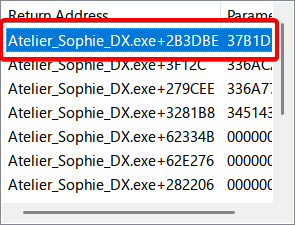
After double clicking it…
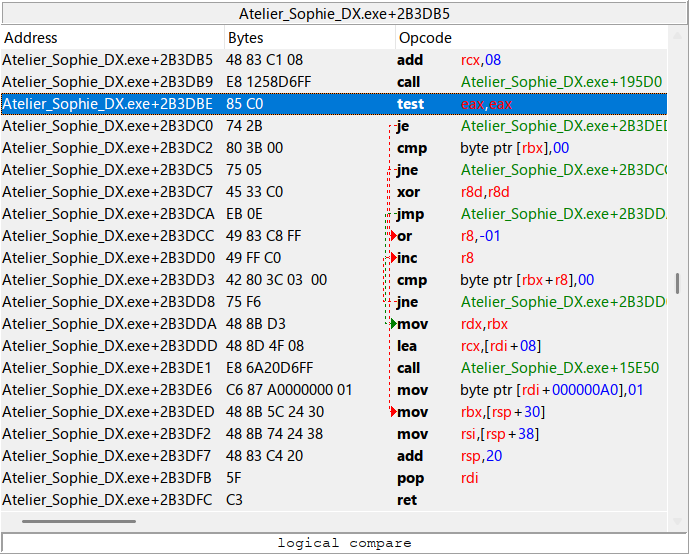
…it caused Cheat Engine to jump to the return address in the disassembler view.
The instruction at the return address is currently highlighted, and we see that it’s a test instruction, or a logical compare as Cheat Engine describes it. That’s actually not the function call that lead us here, that’s just an instruction comparing two operands. What we really care about (at least for this hook) is the instruction right above:
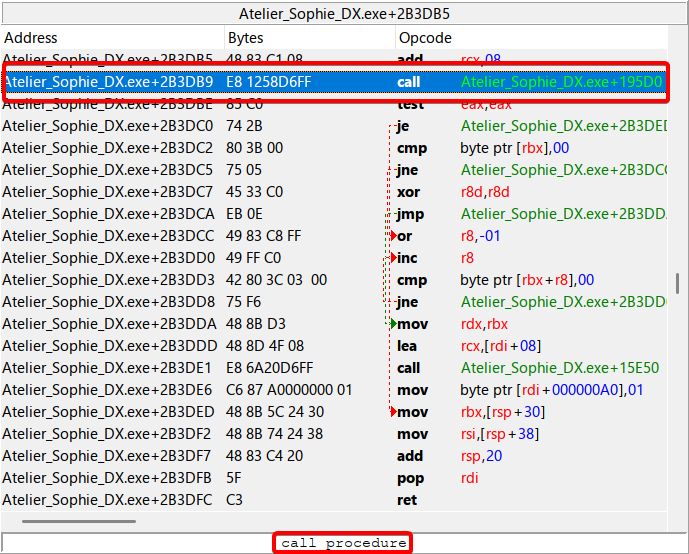
It has the call opcode, and Cheat Engine explains near the bottom that it’s a call procedure.
It’s basically a function call.
The one in the screenshot is what called the function we’re currently in, and the one I’ll set a breakpoint on.
But wait!
If you recall during my previous detour, I pressed Run multiple times to repeatedly trigger the breakpoint and observe how the values in RDX changed. Even if the instruction I set a breakpoint on was the same instruction that processed the cutscene text “ここでプニプニ玉を入れて”, the call stack has greatly deviated. The call stack currently showing in Cheat Engine isn’t the call stack for a function handling cutscene text, it’s the one for the skip button hint in the corner. It’s important to keep in mind that different functions can still call the same function, or else we’ll accidentally waste time reversing a completely irrelevant function.
Note
subgraphs for different call stacks? write steps/goals and repeat them, crossing off each step as they’re completed
graph TD

currentPos["We're here"]
returnAddA["**Previous Call Stack**
Cutscene Text Function"]
returnAddB["**Current Call Stack**
Skip Button Function"]

currentPos -.-> returnAddA
currentPos --> returnAddB
Making the Agent Script
Note
- Explain basic parts of an Agent script
- Put address and register from Cheat Engine into script
- Filtering control tags from and formatting extracted text